
Live · Free download
v1.0.7
PRO available
BBA Secure File Downloads
Serve Media Library files through a controlled endpoint, not a public URL.
/ what it does
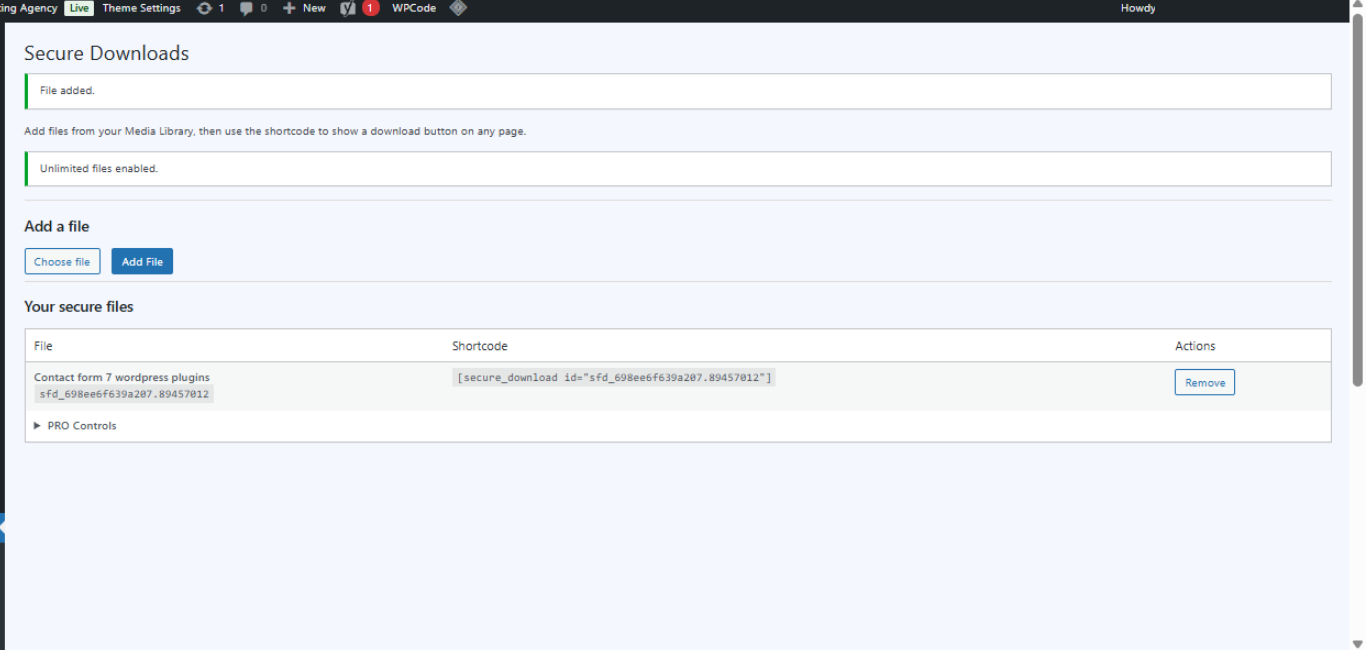
Pick a file from the Media Library, get a stable File ID, paste a shortcode anywhere. The download streams through a nonce-protected endpoint instead of exposing the direct upload URL. No bloat. No fake feature ladder. Just a clean download button you can drop into any page or post.
/ who it's for
If any of these sound like you
Bloggers & creators
Hand out PDFs, templates, and guides without leaking the raw Media Library URL.
Small businesses
Distribute price sheets, brochures, and one-pagers behind a download button you control.
Agencies & freelancers
Drop secure download buttons into client sites in seconds. One shortcode, done.
Membership-lite sites
Lightweight file gating without installing a full membership plugin.
/ features
What's in the box
Free version
- Media Library file pickerPick any file already in your Media Library and assign it a stable File ID.
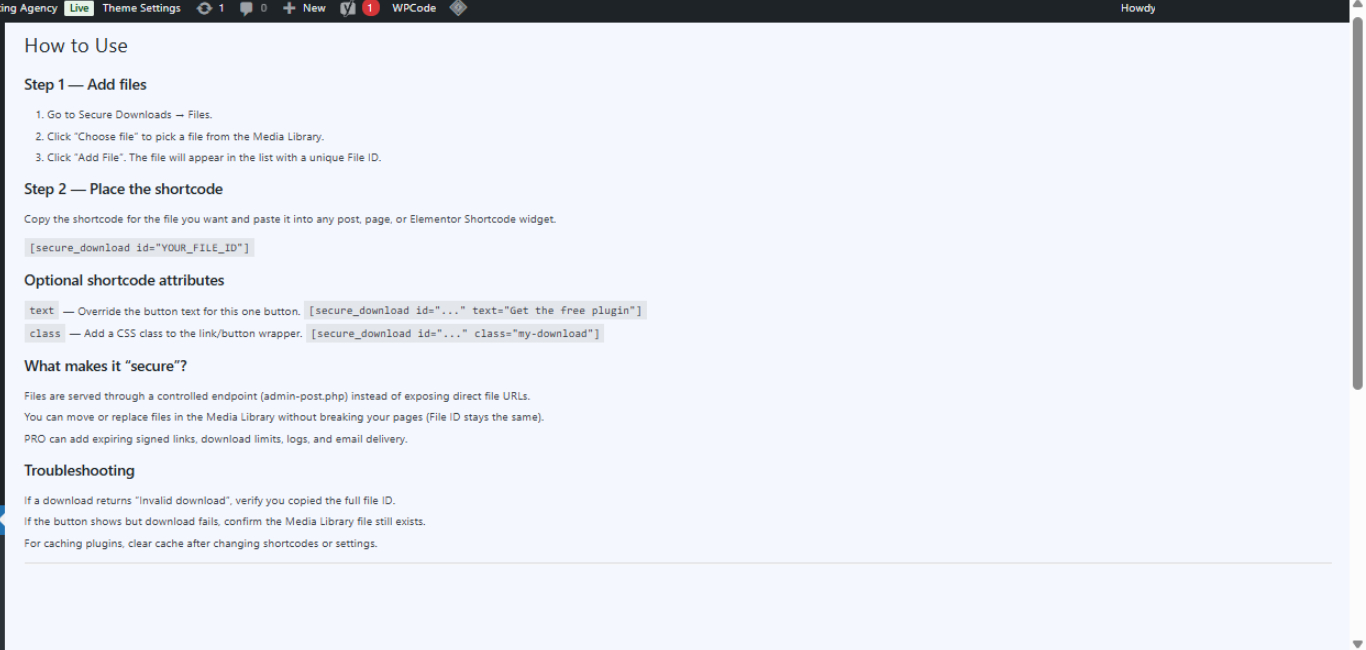
- Shortcode download buttons[bbasfd_download id="FILE_ID"] places a download button anywhere — pages, posts, widgets, page builders.
- Nonce-protected endpointDownloads stream through a controlled endpoint that validates a nonce before serving the file.
- Hidden direct URLsThe actual /wp-content/uploads/ path is never rendered in your HTML.
- Customizable button text & classtext="Get the PDF" and class="my-css-class" attributes for styling and copy.
- Up to 3 filesFree tier allows 3 active File IDs. Gated by the bbasfd_max_files filter.
- WP_Filesystem-based readsPlugin Check compliant — no raw fopen, no direct $_GET access.
- Works with any page builderElementor, Gutenberg, classic editor — anywhere shortcodes render.
Pro adds
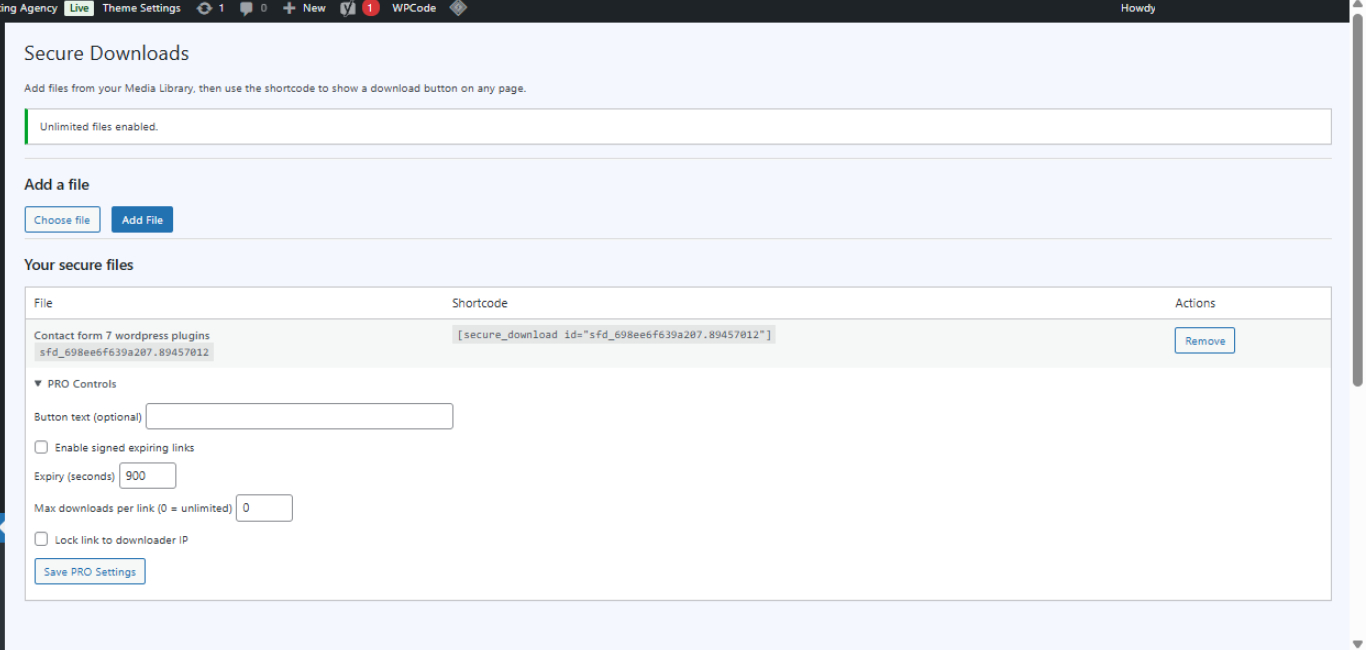
- Unlimited filesLift the 3-file cap. Manage as many secure downloads as you need.
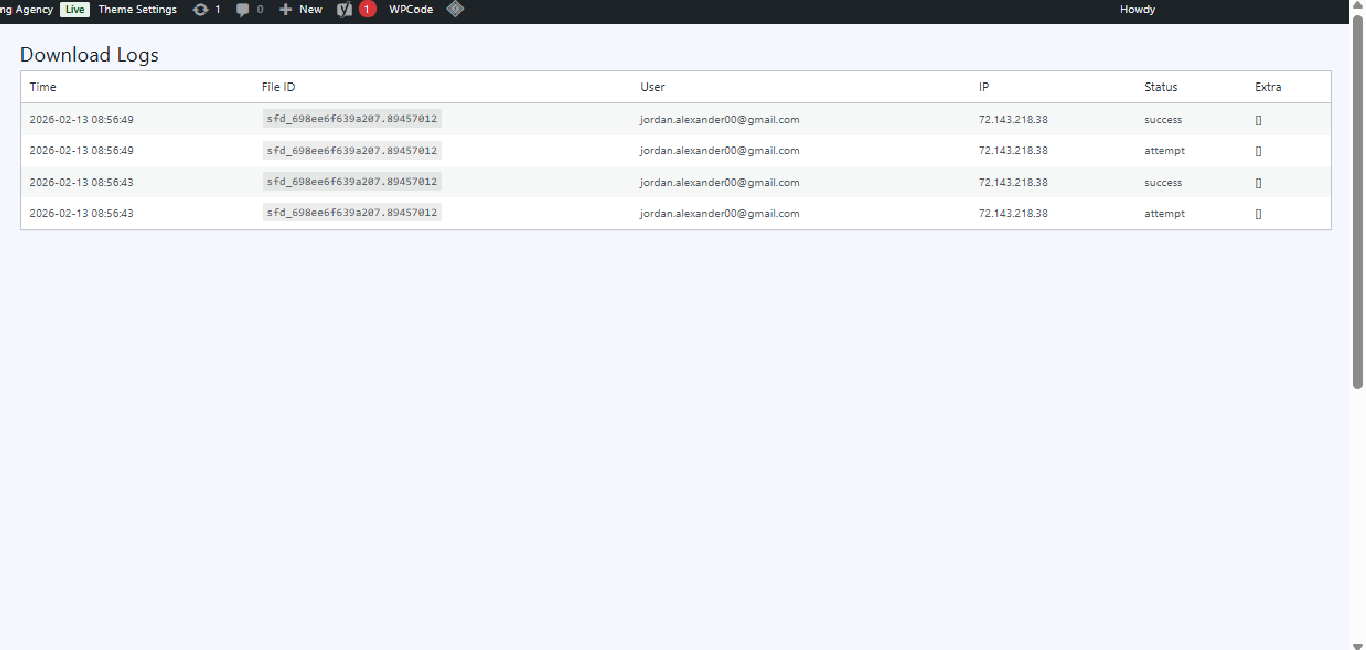
- Download analyticsTrack who downloaded what and when. Listed on the WP.org FAQ as a Pro capability.
- Password-protected downloadsRequire a password before the file streams. Listed on the WP.org FAQ as a Pro capability.
- Download limits per fileCap the total number of times a given file can be downloaded.
/ in action
Screenshots
/ pricing
No lite-version tricks
Free
Up to 3 files
$0 forever
- ✓3 secure downloads
- ✓Shortcode buttons
- ✓Nonce-protected endpoint
- ✓Direct URL hiding
Pro · 1 Site
Unlimited files + analytics + protection
$49 /year
- ✓Everything in Free
- ✓Unlimited secure files
- ✓Download analytics — who, when, how many
- ✓Password-protected downloads
- ✓Per-file download limits
- ✓Email support
Pro · 5 Sites
For multi-site agencies
$129 /year
- ✓Everything in 1 Site
- ✓Use on up to 5 sites
- ✓Priority email support
Agency · Unlimited
For dev shops & agencies
$299 /year
- ✓Everything in 5 Sites
- ✓Unlimited site activations
- ✓Priority email support
/ faq
Common questions
How does the secure download endpoint actually work? +
You pick a file from the Media Library and the plugin assigns it a stable File ID. The shortcode renders a button that links to a controlled endpoint (with a nonce on the URL). When a visitor clicks it, the plugin validates the nonce, locates the file, and streams it back. The actual `/wp-content/uploads/...` path is never written into your page HTML.
Why does the free version limit me to 3 files? +
That's the freemium gate. The free plugin is fully usable for small sites — 3 files covers most blogs, lead magnets, and one-page businesses. If you need more, Pro lifts the cap. The limit is applied through the `bbasfd_max_files` filter so it's a clean, single point of gating.
Do I need WooCommerce? +
No. This plugin works on any WordPress site. It does not depend on WooCommerce, downloadable products, or any membership plugin.
Does it work with Elementor and Gutenberg? +
Yes. Use Elementor's Shortcode widget or a Shortcode block in Gutenberg with `[bbasfd_download id="FILE_ID"]`. Works in classic editor too — anywhere shortcodes execute.
Can I customize the button text and styling? +
Yes. The shortcode accepts:
- `text="Get the free guide"` — overrides the default button label
- `class="my-css-class"` — adds your CSS class so you can style it to match your theme
Does it hide my Media Library URL completely? +
The download button itself does not expose the direct upload URL — it points at the plugin's endpoint instead. However, this plugin does not block someone from typing the upload URL directly into their browser if they know it. For full file access lockdown (where the upload URL itself returns 403), you'd need to combine this with `.htaccess` or NGINX rules on `/wp-content/uploads/`.
Is it Plugin Check / WordPress.org compliant? +
Yes. v1.0.7 explicitly addresses Plugin Check requirements: nonce validation runs before any other request input is touched, downloads use `WP_Filesystem` for file reads, all `$_GET` values are unslashed before sanitization, and the download endpoint has documented permission hooks.
Will my downloads work behind a CDN or caching plugin? +
The shortcode output is cacheable, but the download endpoint itself uses nonces and should be excluded from caching. Most caching plugins skip URLs with query strings by default, which covers this — but if you've got an aggressive cache config, exclude the plugin's download endpoint manually.
What does Pro add? +
Per the WP.org FAQ: unlimited files, download analytics, password-protected downloads, and per-file download limits. (TODO: verify each Pro capability against the live Pro build before publishing copy.)
Where do I get support? +
Free version: the WordPress.org plugin support forum. Pro: email **support@bigbad.agency** with your license key.