
PluginsWordPresson WordPress.org
AI Data Remover
ChatGPT and Elementor left invisible junk in your HTML. Find it. Strip it.
Kill the data-* Bloat.
Free is the whole plugin — Pro is an optional upgrade, never a paywall. v1.1.0 · WordPress 6.0+ · PHP 7.4+
One price list. No lite-version tricks.
Prices in USD. Checkout is WooCommerce on bigbad.agency — the figures below are read from that checkout when this page is built, so what you see is what it charges.
Free
$0forever
Posts & pages cleanup
- Posts & pages scan
- Targeted or all data-* mode
- Bulk remove (up to 25 per run)
- Up to 500 items per post type
Most pickedPro · 1 Site
$39/year
For one production site
- Everything in Free
- All post types incl. WooCommerce products
- Select-all checkbox
- Larger scan & bulk limits
- CSV export of cleanup history
- Email support
Pro · 5 Sites
$99/year
For multi-site agencies
- Everything in 1 Site
- Use on up to 5 sites
- Priority email support
Pro · Agency · Unlimited
$299/year
For dev shops & agencies
- Everything in 5 Sites
- Unlimited site activations
- Priority email support
Licence keys are per site activation. Upgrade between tiers any time — you pay the difference.
- Version
- v1.1.0 on WordPress.org
- Last update
- 23 Jul 2026
- Tested up to
- WordPress 7.0.4
- Needs
- WordPress 6.0+ · PHP 7.4+
- Rating
- 1.0 of 5 · 1 review
Read from WordPress.org when this page was built (15 Sept 2026).
What it fixes.
Every time you paste from ChatGPT, build a page in Elementor, or drop content in from Google Docs, your HTML gets stuffed with `data-*` attributes nobody asked for. They do nothing on the front-end. They bloat your DOM, drag down Core Web Vitals, and give crawlers more useless markup to chew through. AI Data Remover scans your post_content, counts the junk in every post, and lets you bulk-strip it — manually, surgically, no theme edits, no auto-magic running behind your back. You see it, you click, it's gone.
The value · before and after
What changes for you.
- Before
Every paste from ChatGPT or Google Docs and every page-builder block leaves data-* attributes nobody asked for.
AfterA scan that counts the junk per post and a bulk strip you trigger yourself.
- Before
A year of posts carrying tens of thousands of useless characters.
AfterSmaller DOM, fewer bytes for Googlebot, no theme edits.
- Before
You inherit a five-year-old site built across three page builders and have no idea how much exhaust is in it.
AfterAudit first: the scan shows exactly how much builder exhaust sits in every post.
Why it is worth it
Versus doing nothing.
- Nothing runs without your click and nothing leaves your site — no external API, no content phoned home.
- Free handles posts and pages up to the scan and bulk windows; Pro is for WooCommerce products, custom post types and unlimited runs.
Straight answers
What it does not do.
- It only edits post_content — never theme files, CSS, JS or settings.
What is in the box
Free is the whole fix. Pro adds the heavy lifting.
Free · no purchase, no account
- Scan posts and pagesIdentifies every post and page that contains data-* attributes.
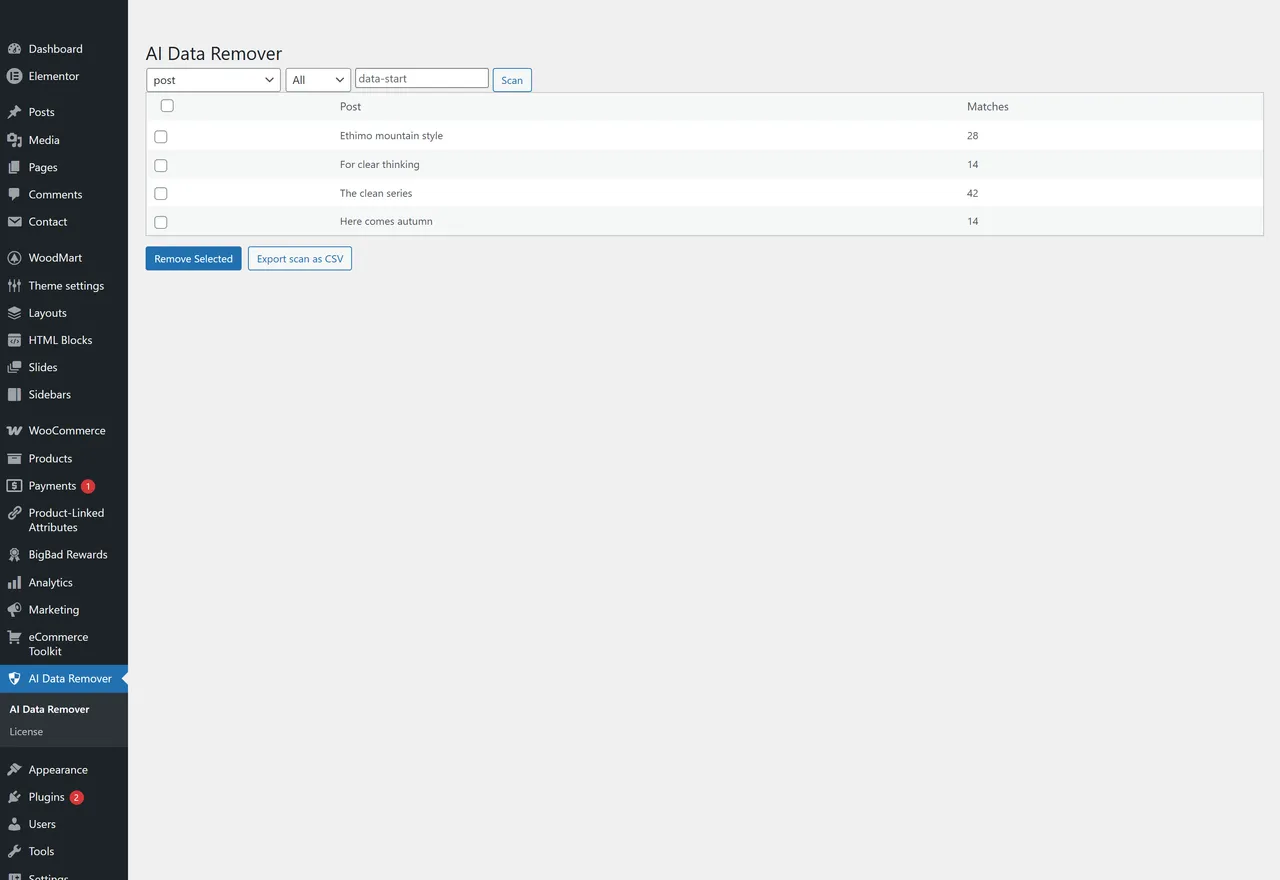
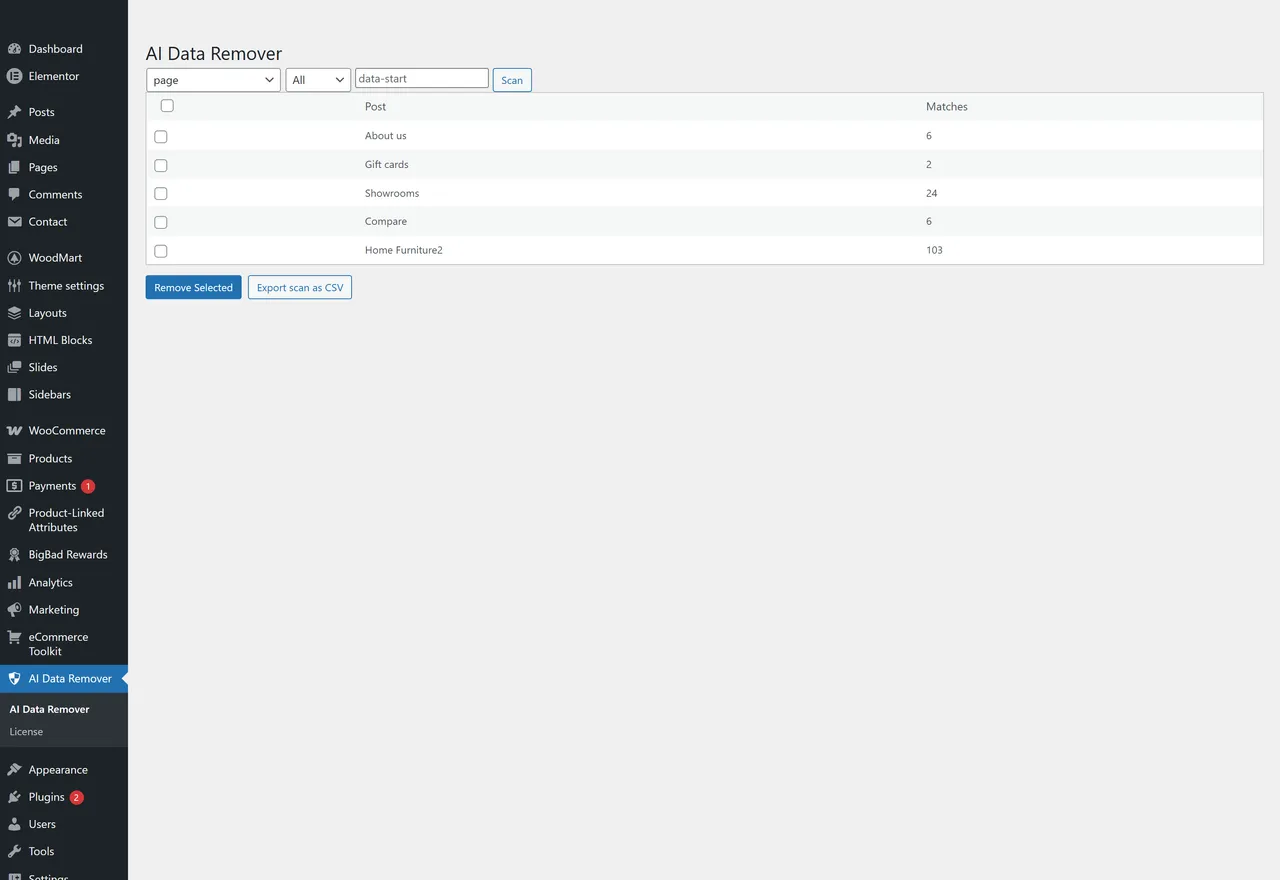
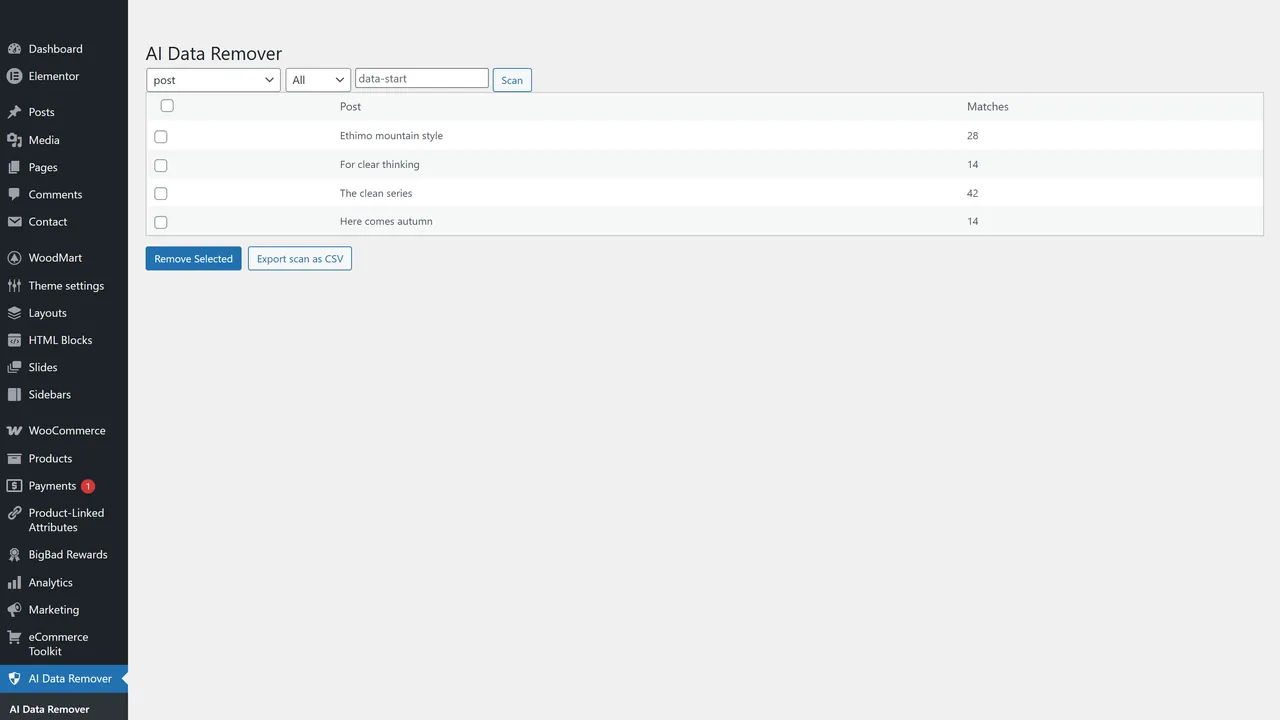
- Match counts per itemSee exactly how many data-* attributes are sitting in each individual post or page.
- Targeted or universal modeStrip all data-* attributes, or just one specific name (e.g. only data-id, only data-source).
- Manual bulk removalYou select which items to clean. Nothing runs without your click.
- Safe content-only cleanupOnly modifies post_content. Never touches theme files, CSS, JS, or settings.
- Up to 500 items per post type per scanFree tier scan window.
- Up to 25 items per bulk runFree tier bulk-remove window.
- No data leaves your siteEverything runs inside wp-admin. No external API calls. No content phoned home.
Pro adds · from $39/year
- Select-all checkboxWhen Pro is active, the scan results table renders a master select-all checkbox in the header column. The free tier renders a 'PRO' pill in that column instead. Confirmed at trunk/ai-data-remover-seo.php line 311-315.
- Unlimited scan windowPro removes the 500-items-per-post-type scan cap. Free slices candidate IDs with array_slice($ids, 0, FREE_MAX_SCAN); Pro skips that slice and scans every post in the post type that contains data-* attributes. Confirmed at trunk/ai-data-remover-seo.php line 247-249.
- Unlimited bulk removal per runPro removes the 25-items-per-bulk-run cap. Free slices the POSTed selection with array_slice($selected, 0, FREE_MAX_BULK); Pro processes every selected ID in one submit. Confirmed at trunk/ai-data-remover-seo.php line 260-262.
- Larger per-page result view (up to 200)Free is hard-capped at 50 rows per page via FREE_MAX_PER_PAGE; Pro can request up to 200 rows per page. Confirmed at trunk/ai-data-remover-seo.php line 234-237.
- Additional post types (WooCommerce products + public CPTs)Pro hooks bbadrs_ai_drm_allowed_post_types to add WooCommerce 'product' (when WC is active) plus every public custom post type registered on the site (excluding 'attachment'). Implemented in pro/includes/pro-core.php as of pro v1.1.0 (shipped 2026-05-16).
- CSV export of scan resultsPro adds an 'Export scan as CSV' button alongside the bulk-remove button. Streams a CSV (Post ID, Title, Post Type, Status, Match Count, Edit URL) of every matching post for the current scan parameters — bypasses the free 500-cap so the export reflects the full result set. Implemented in pro/includes/pro-core.php as of pro v1.1.0 (shipped 2026-05-16).
If any of these sound like you.
- 01
Writers pasting from ChatGPT, Claude, or Google Docs
You don't see it in the editor, but every paste drags hidden data-* attributes along with it. Over a year of posts that's tens of thousands of useless characters in your HTML. This finds them and removes them in batches.
- 02
Elementor, Divi, and Bricks users
Page builders inject data-* tags on every block, every column, every wrapper — most of which the front-end doesn't actually read. Build with the builder, then strip the bookkeeping before Google crawls you.
- 03
SEO-obsessed site owners
You've already optimized images, lazy-loaded everything, and tuned LCP. The next gain is in the markup itself. Smaller DOM, faster paint, fewer bytes Googlebot has to chew through.
- 04
Agencies inheriting messy sites
A client hands you a five-year-old site built across three different page builders. Before you redesign, audit. This shows you exactly how much builder exhaust is sitting in every post — and lets you wipe it without touching the theme.
Every screen is real
In the admin.
Questions people actually ask.
What is a data-* attribute and why does it matter?
`data-*` attributes are custom HTML attributes (like `data-id="123"` or `data-elementor-type="header"`) that tools attach to elements for their own internal tracking. AI writing tools, page builders, and copy-paste from external editors all inject them. Browsers ignore most of them. Search engine crawlers still have to parse them. They make your HTML bigger and slower without adding any front-end value.
Will removing them break my site?
In most cases, no. Removing `data-*` attributes does not change layout or visible content. **However**, some page builders and custom front-end scripts *can* rely on specific attributes. If you have heavy custom JavaScript or Elementor widgets with custom JS, test on a staging site first. The plugin only modifies `post_content` — it never touches theme files, plugin code, CSS, or JavaScript.
Does it remove all my HTML tags?
No. It only targets `data-*="..."` attributes. Tags, classes, IDs, and standard HTML attributes are left completely alone.
Can I target just one specific attribute?
Yes. You can scan and remove **all** `data-*` attributes in one pass, or specify a single one — for example, only strip `data-id` and leave everything else alone. Useful if you know one specific tool is causing the bloat.
Does it work with WooCommerce products?
The free version scans **Posts** and **Pages**. Products and other custom post types are unlocked in the optional Pro add-on.
Does it auto-clean my site?
No. Nothing runs without your explicit click. You scan, you review the per-item match counts, you tick the items you want cleaned, you click Remove. It's a manual review tool by design — because "auto-optimize my whole site" is how people break things.
Does the plugin send my content anywhere?
No. The cleanup runs entirely inside your WordPress admin. There are no external API calls, no telemetry, and no content sent off-site.
How big a site can it handle?
The free version scans up to 500 items per post type per run and bulk-removes up to 25 items at a time. For larger catalogs (thousands of products, big news archives), the Pro add-on lifts these caps and adds a select-all checkbox for faster batch processing.
Should I back up before running it?
Yes. The plugin modifies post content. Even though it's targeted and reversible by re-saving the original content, a database backup is the right call before any bulk content edit. This is true for any content-modifying plugin.
Will this fix my Core Web Vitals?
It can help. Smaller DOM size means less HTML to parse, less time to first paint, and less work for the browser to render. It's not a magic bullet — but for sites with heavy AI/page-builder bloat, removing thousands of useless `data-*` attributes is a measurable win on PageSpeed and crawl efficiency.
Also on the shelf
More free plugins.
- Free on WordPress.org
Deep eCommerce Insights
WooCommerce reports are a graveyard. We dig you out.
Details → - Free on WordPress.org
Store Toolkit
One plugin instead of fourteen. One settings tab instead of fourteen.
Details → - Free on WordPress.org
Product-Linked Attributes Mapper
Your attribute terms aren't strings. They're products. Wire them up.
Details → - The shelf
All plugins
The whole catalogue, versions read from WordPress.org.
Browse →
Support: support@bigbad.agency · reviews on WordPress.org