PluginsWordPresson WordPress.org
Internal Link Machine
Set your internal links once. The machine keeps them consistent across the whole site.
Internal linking on autopilot.
Free is the whole plugin. v1.0.4 · WordPress 6.0+ · PHP 7.4+
One price list. No lite-version tricks.
The free build is the product. Nothing here is for sale yet.
Free
$0forever
Genuinely usable on its own
- Up to 5 keyword link rules
- Manual per-post apply
- Basic visual link map
- URL exclusions
- Block + Classic editor support
The "Pro" tier has no WooCommerce product yet (no wc_variation_id in the manifest), so nothing on this page sells it.
- Version
- v1.0.4 on WordPress.org
- Last update
- 27 Jul 2026
- Tested up to
- WordPress 7.0.4
- Needs
- WordPress 6.0+ · PHP 7.4+
Read from WordPress.org when this page was built (15 Sept 2026).
What it fixes.
Internal links are the cheapest SEO win most sites never claim — every editor forgets to add them, and the ones that exist rot the moment a slug changes. BBA Internal Link Machine fixes that: define keyword rules once and the plugin links those phrases automatically across your posts and pages, builds out your pillar-page structure, and shows you a visual link map of what points where. Free covers up to 5 keyword rules — plus pillar pages, a visual link map, URL exclusions, and Block, Classic, and Elementor editor support — genuinely useful on its own. Pro simply removes the 5-rule cap so you can run as many keyword link rules as your content strategy needs.
The value · before and after
What changes for you.
- Before
Half your posts have zero internal links pointing at them and every editor forgets to add them.
AfterDefine keyword rules once; new and old content gets linked automatically.
- Before
A slug changes and the links you did add quietly rot.
AfterRules apply across the whole archive, so the links follow the rule, not the old URL.
- Before
Topic clusters drawn on a whiteboard nobody updates.
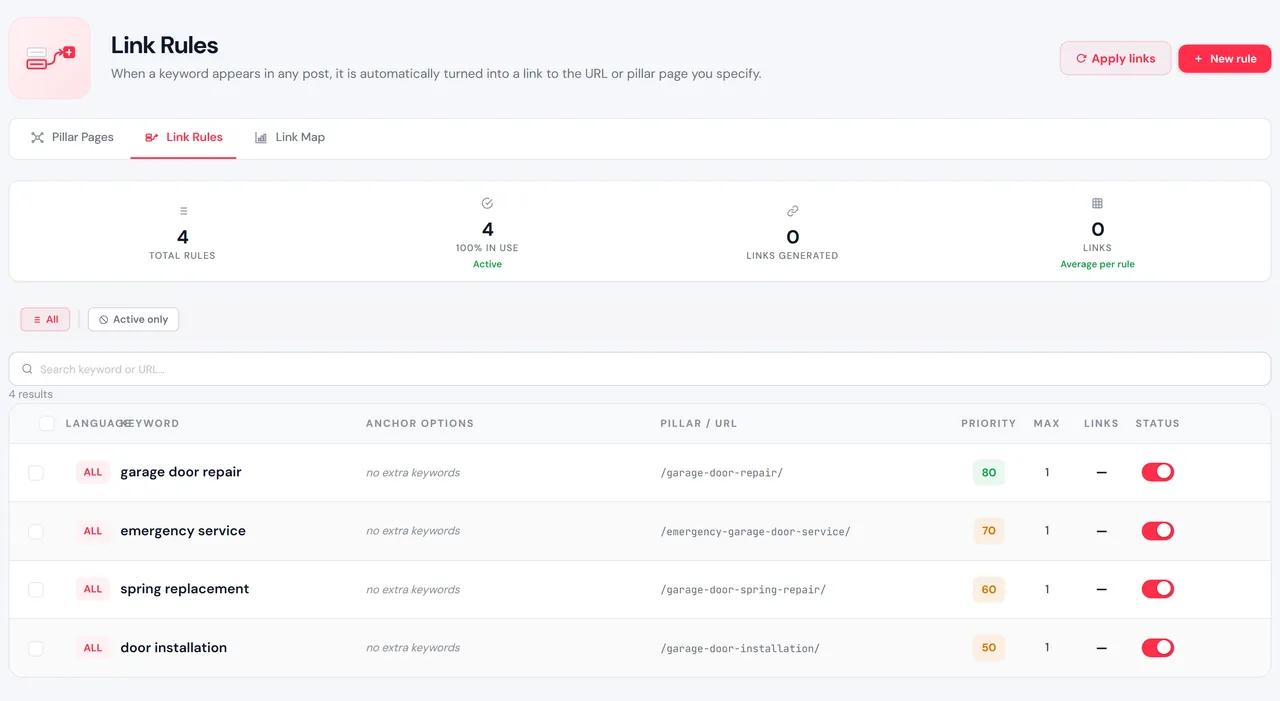
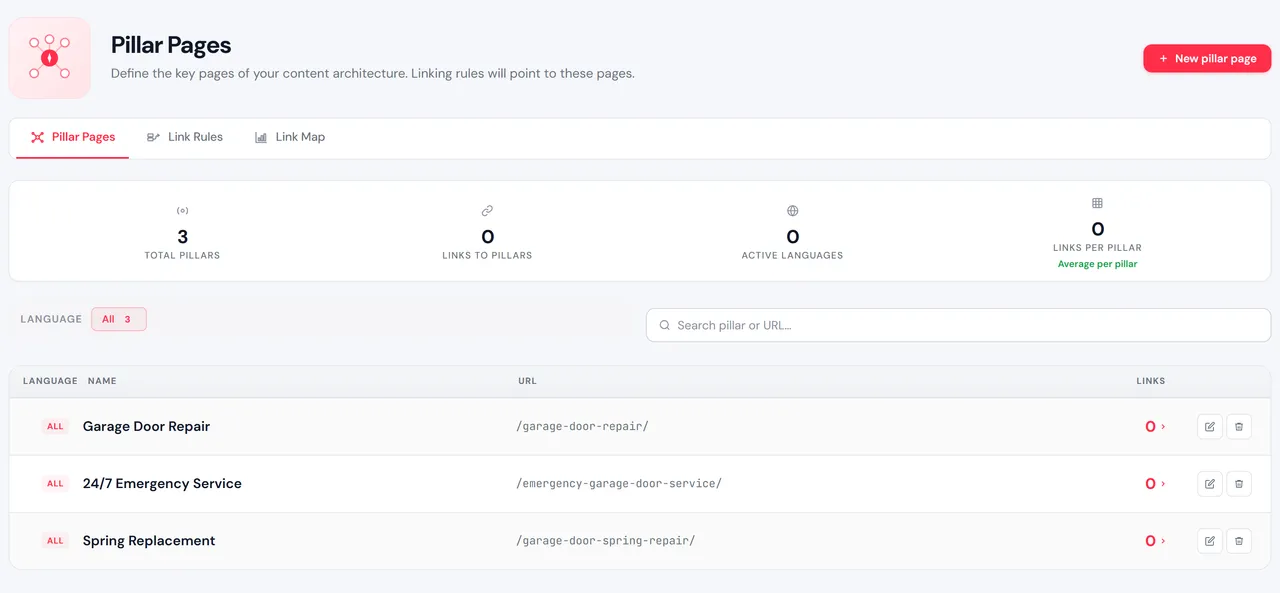
AfterMark pillar pages, set per-rule priority and anchor text, and see the structure in the link map.
Why it is worth it
Versus doing nothing.
- Internal links are the cheapest SEO win most sites never claim; the free build covers five rules, pillar pages and the link map on its own.
- Pro only removes the five-rule cap.
What is in the box
Free is the whole fix. Pro adds the heavy lifting.
Free · no purchase, no account
- Up to 5 keyword link rulesDefine a phrase and the target URL; the plugin links matches automatically wherever they appear.
- Manual apply (per-post)Run the linker on a single post when you want full control over where links land.
- Basic visual link mapSee what links to what across your site at a glance.
- URL exclusionsKeep specific pages or sections out of the automatic linking.
- Block + Classic editor supportWorks in both Gutenberg and the Classic editor — no setup gymnastics.
Pro adds · optional
- Unlimited keyword link rulesDrop the 5-rule cap entirely — link as many phrases as your content strategy needs.
If any of these sound like you.
- 01
Content sites and blogs drowning in orphan posts
You publish constantly and half your posts have zero internal links pointing at them. Define keyword rules once and the machine wires new and old content together automatically — no more remembering to link by hand.
- 02
SEO folks building topic clusters
Pillar pages, supporting articles, the whole hub-and-spoke model. Mark your pillars, set the rules with per-rule priority and anchor text, and the visual link map shows the structure at a glance.
- 03
Agencies maintaining client sites at scale
Rules apply across the entire existing archive, work inside Elementor as well as the native editors, and Pro removes the 5-rule cap so a single license covers even your largest client sites.
- 04
WooCommerce / large-catalog sites
Match up to 50 related phrases per rule so the dozen ways people describe the same product or category all cross-link themselves — without you maintaining a spreadsheet of anchors.
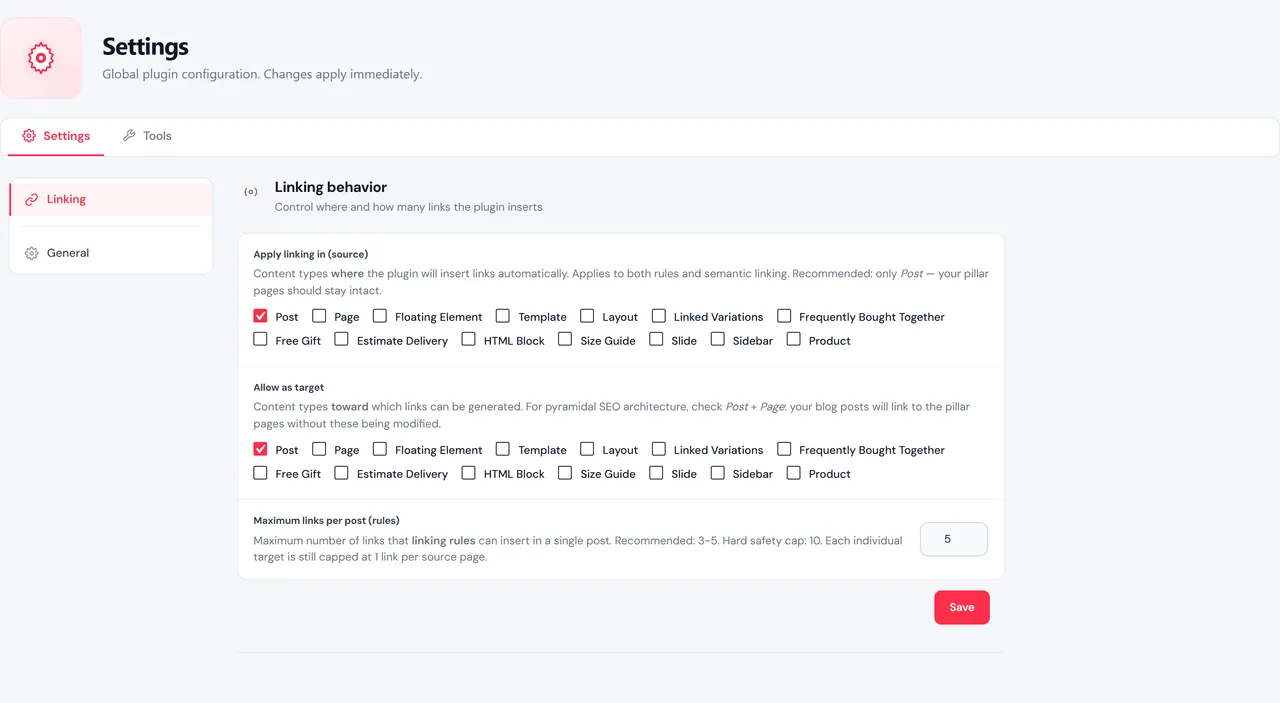
Every screen is real
In the admin.
Also on the shelf
More free plugins.
- Free on WordPress.org
AI Data Remover
ChatGPT and Elementor left invisible junk in your HTML. Find it. Strip it.
Details → - Free on WordPress.org
Deep eCommerce Insights
WooCommerce reports are a graveyard. We dig you out.
Details → - Free on WordPress.org
Store Toolkit
One plugin instead of fourteen. One settings tab instead of fourteen.
Details → - The shelf
All plugins
The whole catalogue, versions read from WordPress.org.
Browse →
Support: support@bigbad.agency · reviews on WordPress.org